Connecting to your favorite DayZ server doesn’t always have to mean endless scrolling through the in-game browser. When you have the IP address and port handy, the “Direct Connect” method offers a fast-track to the action. This is especially useful for joining private, new, or heavily-modded community servers that might not appear reliably in the standard list.
Here is your quick guide to getting straight into Chernarus or Livonia using two simple methods.
🗺️ Cartel Island DayZ Server Connection Details
If you are joining the Cartel Island community, here are the IP addresses you can use for direct connection:
| Server Name | IP Address | Port |
| PVE 1 | 173.225.104.218 | 2680 |
| PVE 2 | 162.245.189.13 | 2302 |
| PVE 3 | 45.59.162.28 | 2491 |
| PVE Warzone | 162.216.115.213 | 2491 |
| Winter Wasteland | 64.20.51.157 | 2491 |
| Real Survival | 45.59.162.28 | 2680 |
1. Direct Connect via the DayZ Launcher (Recommended)
The DayZ Launcher (which usually opens when you launch the game via Steam) is the most reliable way to connect, especially for servers running mods, as it helps manage those for you.
- Step 1: Get Server DetailsBefore launching DayZ, you need the server’s IP Address and Port number (like those listed above).
- Step 2: Launch the Game and NavigateOpen DayZ from your Steam Library. The default DayZ Launcher should appear.
- Click on the “Servers” tab on the left-hand menu.
- On the server screen, look for the “Direct Connect” button, typically located in the bottom right corner.
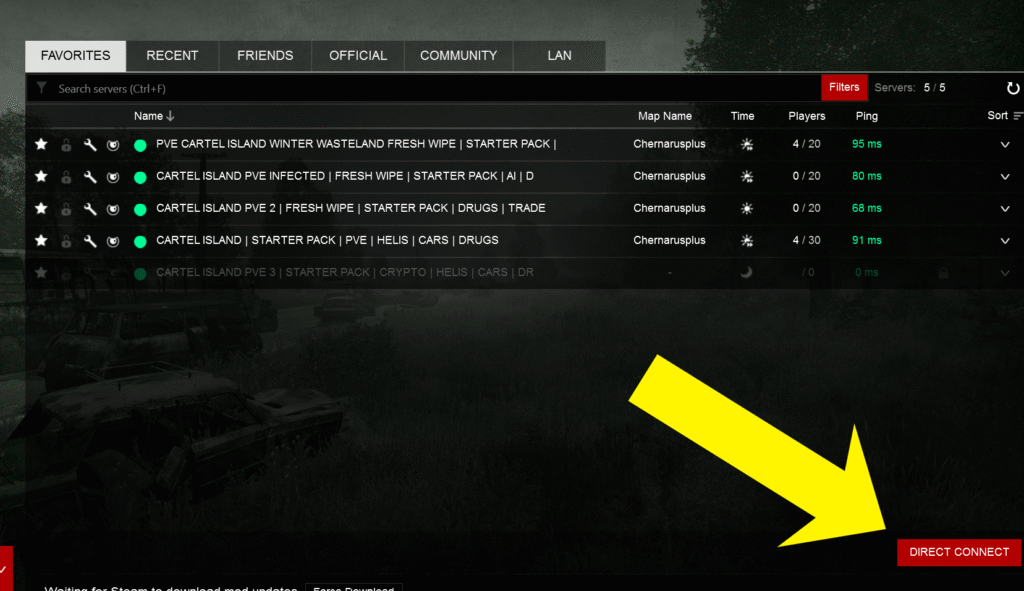
- Step 3: Enter IP and PortA new window will pop up.
- Enter the server’s IP Address (e.g.,
173.225.104.218) in the first field. - Enter the Port number (e.g.,
2680) in the second field. - If the server requires one, enter the Password in the third field.
- Pro-Tip: Check the “Add to Favorites” box!
- Enter the server’s IP Address (e.g.,
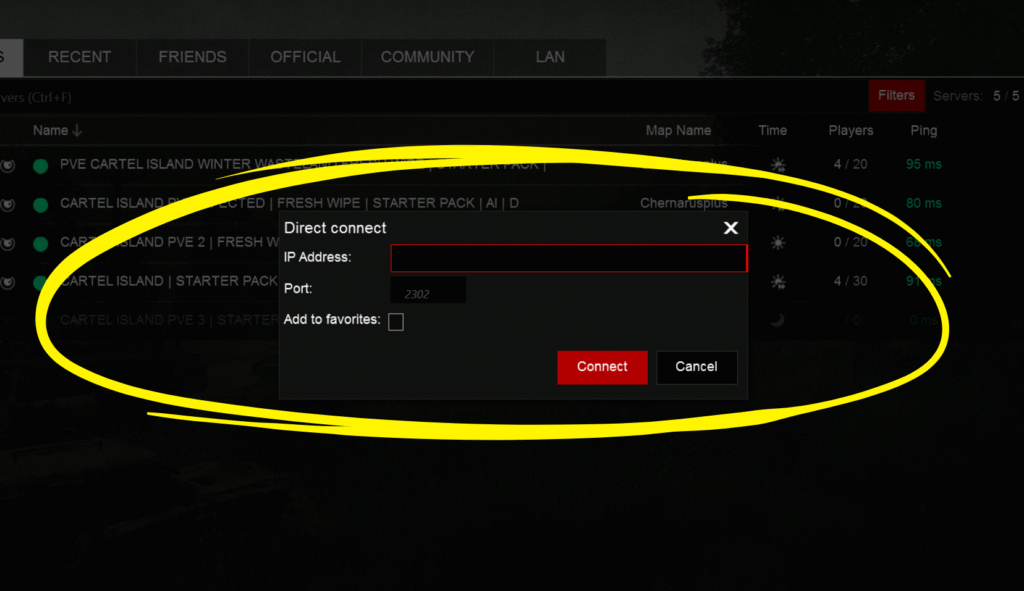
- Step 4: ConnectClick “Connect.” If the server has missing mods, the launcher will prompt you to set up and download the necessary files automatically before joining.