Since the DayZ community relies heavily on the Steam Workshop, your primary solution lies in managing your subscriptions and files through the DayZ Launcher.
1. When the Server is Newer (Client Needs Update)
If the server has a newer version of a mod (like @Expansion), you need to force your client to download it.
- Step 1: Restart Steam
- This is the simplest fix. Close Steam entirely (make sure it’s not running in the system tray!) and restart it. Steam should immediately check for pending updates, often fixing the issue right away.
- Step 2: Use the DayZ Launcher’s Repair Feature
- Open the DayZ Launcher and go to the “Mods” tab.
- Find the problematic mod (e.g., @Expansion or @Community-Online-Tools).
- Right-click on the mod and select “Repair.” This forces Steam to re-download the latest version of that specific file, ensuring it matches the server.
- Step 3: Unsubscribe and Re-subscribe
- If Repair fails, find the mod in the Steam Workshop.
- Unsubscribe from the mod.
- Restart Steam, then re-subscribe to the mod. This guarantees a clean download of the latest files.
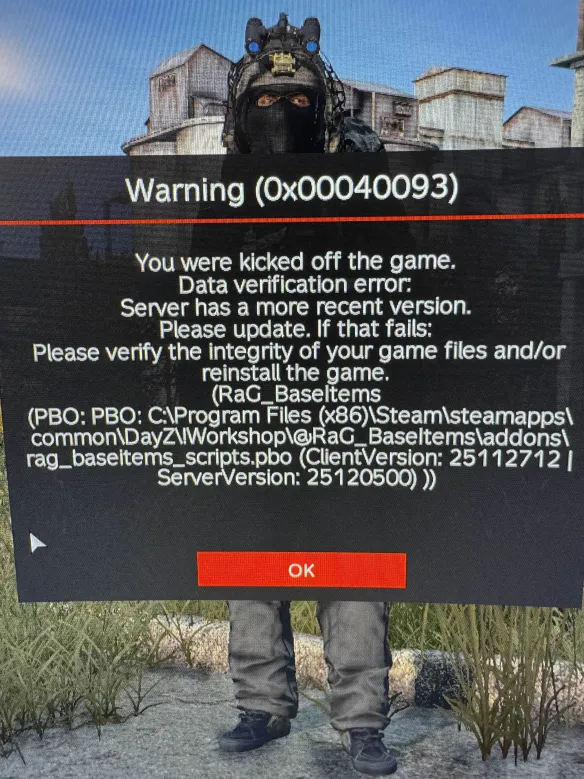
2. When the Client is Newer (Server Needs Update)
If your client has a newer mod version than the server, you have fewer options, as the fault lies with the server host.
- The Only Player Action: Unfortunately, there is no official way for a player to downgrade a mod on their client. Your DayZ files are automatically kept up-to-date by Steam.
- What You Must Do: You need to wait for the server host to update their mods and/or base game version. The error message often explicitly tells you this!
- Actionable Tip: Check the server’s Discord or community group. Admins usually post an ETA for when they will complete the update to bring the server in sync with the current Steam version.
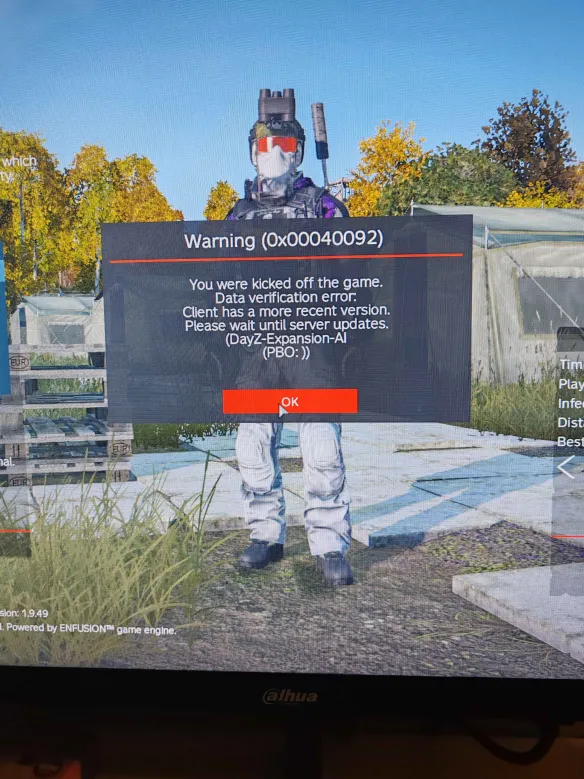
The Final Step: Verifying Game Files
If none of the mod-specific fixes work, the entire base game might be slightly out of sync.
- Open your Steam Library.
- Right-click on DayZ and select “Properties.”
- Go to the “Installed Files” tab.
- Click “Verify integrity of game files…”
Steam will check and re-download any corrupted or outdated core files, guaranteeing your base game is ready for action.
By following these steps, you’ll spend less time troubleshooting and more time surviving!